

A podcast episode is a strange thing to own. I put an hour of real thinking into it, a guest shares things they've never said in public, and a week later it's buried under the next episode. Nobody finds it by typing a question into Google, because Google can't skim an hour of audio the way it skims a page.
So I give every episode that deserves it a second life as a blog post. Not a transcript dump, and not a few lines of show notes. A proper article that answers one question well, links back to the episode, and can rank on its own. This is my podcast to blog post workflow, the one I use with Articalize doing the heavy lifting on the conversion. Articalize is made by my team at Teknikforce, so I'm not neutral about it. I'll stick to what it actually does, and I'll be clear about the parts it doesn't do.
Why I bother turning episodes into articles
People are listening. In Edison Research's Infinite Dial 2026, 58% of Americans aged 12 and older said they'd listened to or watched a podcast in the past month. That's an estimated 167 million people, the highest the study has recorded.
And more of that listening happens on video. Edison's Q3 2026 podcast data, as reported by Radio Online, shows YouTube is the platform 40% of US weekly podcast consumers use most often, ahead of Spotify at 17% and Apple Podcasts at 9%.
That second number matters for this workflow. If my episode is on YouTube, it already has a transcript sitting behind it, and that transcript is the raw material for an article.
What the listening numbers don't tell you is how people discover a show in the first place. A lot of that discovery still starts with a search. Someone has a problem, types it into Google or asks ChatGPT, and lands on a page. If my best answer to that problem only exists at minute 34 of an episode, they'll never reach it. A written version gives the idea a door people can walk through.
Why a raw transcript isn't a blog post
The lazy version of this is pasting the transcript onto the episode page and calling it done. I've done it. It doesn't work well.
Spoken conversation is full of false starts, inside jokes, "you know" and tangents that made sense in the room. It isn't organized around a question. It has no headings a reader can scan, and the useful bits are spread across an hour instead of sitting under the heading where someone expects them.
Google is also clear about what it wants. Its guide to creating helpful, reliable, people-first content asks whether a page offers original information or analysis and whether a reader leaves feeling they've learned enough. Its guidance on AI-generated content says it rewards quality content however it's produced. The flip side sits in its spam policies, which describe scaled content abuse as generating many pages to manipulate rankings without adding value for users.
A podcast actually has an advantage here. The episode is original by definition. It's my experience, my guest's experience, our opinions and examples that don't exist anywhere else. The job is to turn that into a page that reads like an article, without sanding off the parts that made it worth hearing.
The ways to turn a podcast into a blog post
Before I settled on this workflow I tried most of the alternatives. Here's how they compare. I checked Articalize's price on its sales page on 24 November 2026. The general AI chatbot plans change often, so I've marked those as check site.
| Method | Cost | What you end up with | Best for |
|---|---|---|---|
| Articalize | $6.99 a month or $67 a year | A structured article written from the episode transcript, with headings, images, a slug, keywords and a meta description, ready to edit and publish | Podcasters who want a real article from every good episode without writing it from a blank page |
| Publishing the raw transcript | Free | A long wall of spoken text with no structure | Accessibility, as a companion to a proper article |
| Show notes only | Free | A short summary, a few links and timestamps | Listeners who already found the episode |
| Pasting the transcript into a general AI chatbot | Check the chatbot's site | Whatever the prompt produces, which still needs formatting, images and SEO fields done by hand | One-off experiments |
| Writing it by hand from my notes | Free, but it costs hours | The best possible article, if I have the time | Cornerstone episodes I want to own a topic with |
I still write some posts by hand. For the regular run of episodes, Articalize gets me most of the way there and leaves me the part I'm actually good at, which is adding my own judgment.
Articalize, the tool I use for the conversion
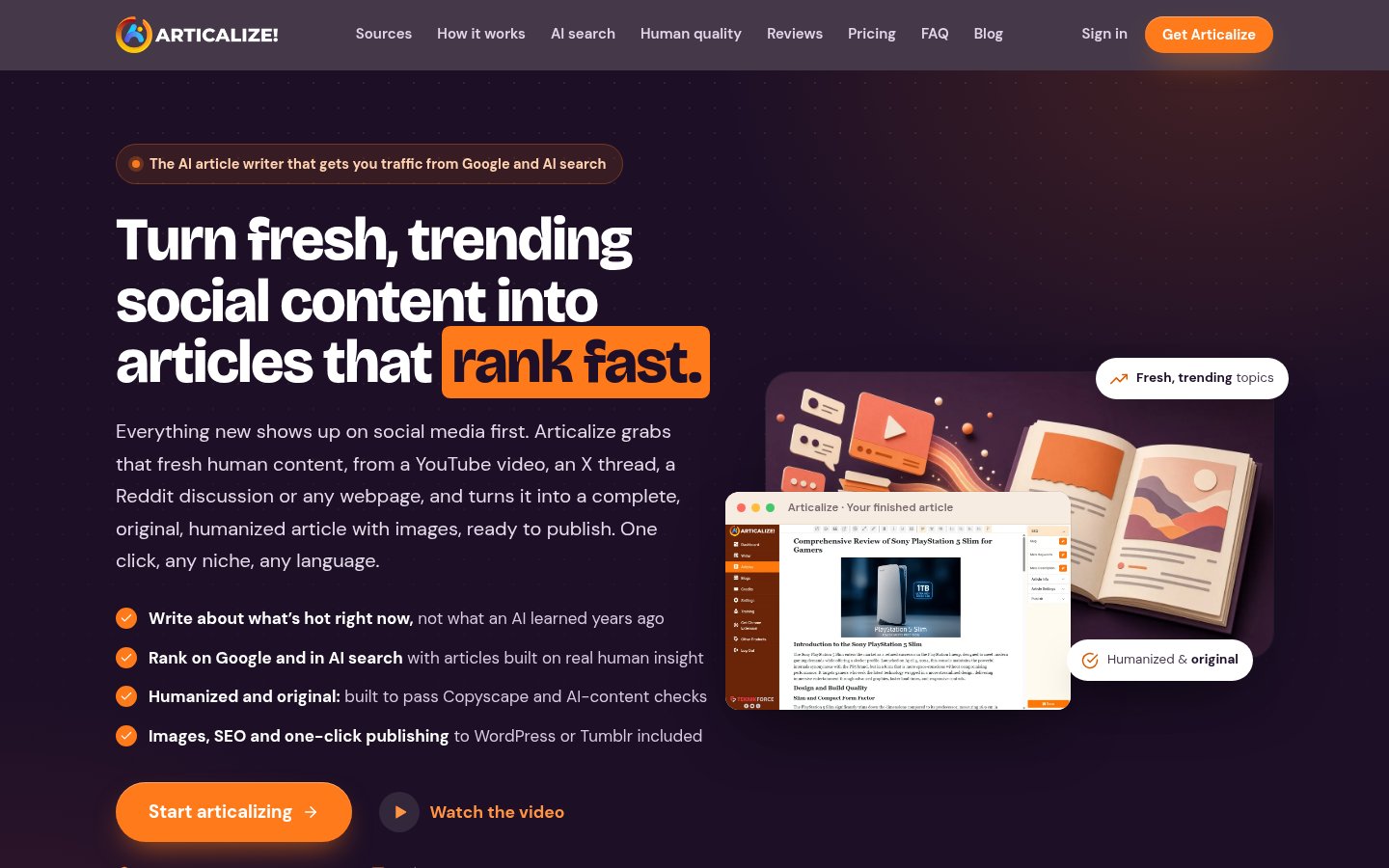
Articalize's homepage
Articalize is a web app that writes articles from content that already exists online. The sources listed on its sales page are YouTube videos, Facebook posts, X threads, Threads posts, Quora questions, Reddit posts, LinkedIn posts, any webpage, product reviews, product comparisons and listicles, plus a start from scratch option.
There's one thing to be upfront about. Articalize doesn't list podcast audio files as a source. It works from text it can read, which for a podcast means the transcript behind a YouTube video or a transcript published on a webpage. For a lot of shows that's easy, because the episode is already on YouTube. I'll show both routes below.
Best for podcasters and creators who publish episodes on YouTube or post transcripts on their site, and want a full article from each one.
The demo above is the full Articalize walkthrough from Teknikforce's official Vimeo channel.
My podcast to blog post workflow, step by step
Step 1. Pick the episode that answers a real question
Not every episode should become an article. A loose catch-up episode with a guest makes a poor blog post. An episode where we spent 20 minutes on one problem, like how to price a first course or what to do when a launch flops, makes a great one.
I look for an episode with one clear question at its center. Then I check how people actually phrase that question. Google's autocomplete is a quick, free check. If I already have pages on the site, Search Console shows me the queries I'm close to ranking for. The phrase people use becomes the working title, not the clever episode name.
Step 2. Get the episode somewhere Articalize can read it
There are two routes, and I use whichever fits the show.
Route one is YouTube. If the episode is on YouTube, I make sure it has captions. YouTube can create automatic captions with speech recognition, and I fix any names or terms it gets badly wrong in YouTube Studio. Clean captions mean a clean transcript, and a clean transcript means a better article.
Route two is a webpage. For audio-only shows, I put the episode transcript on the episode page on my site. Many podcast hosts and editing tools can produce one. Articalize has an any webpage source, so I can paste that URL and it will write an article from the page. If the transcript page sits on my own site, I'm working from my own content, which is the cleanest way to do this.
Step 3. Grab the transcript with the Articalize button
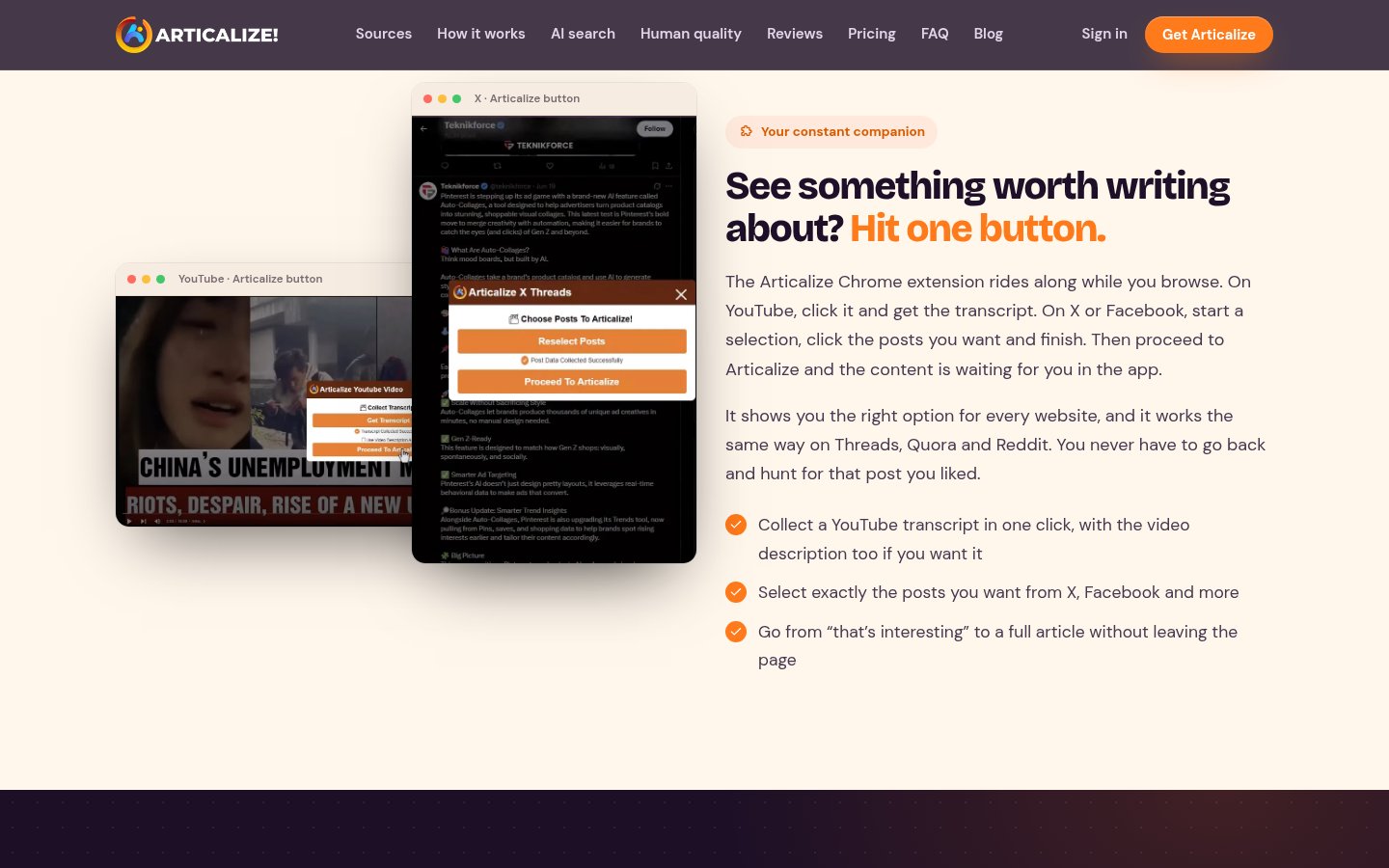
The Articalize Chrome extension
For YouTube episodes, I use the Articalize Chrome extension. On the video page I click the Articalize button and it collects the transcript, with the video description too if I want it. I usually include the description, because mine carries the guest's name, their links and the episode's chapter list, and that context helps the article.
Then I proceed to Articalize, and the transcript is waiting in the app. No copying and pasting an hour of text.
Step 4. Set the AI, language, images, style and length
Before it writes anything, Articalize asks me a few things. Which writer AI to use, which language the final article should be in, whether to create images and how many, the writing style and the target word count.
For a typical interview episode I go long, because a good conversation covers a lot of ground. The language setting is handy if part of my audience reads in another language. Articalize writes the final article in the language I pick, whatever language the source is in.
Step 5. Choose a headline and fix the outline
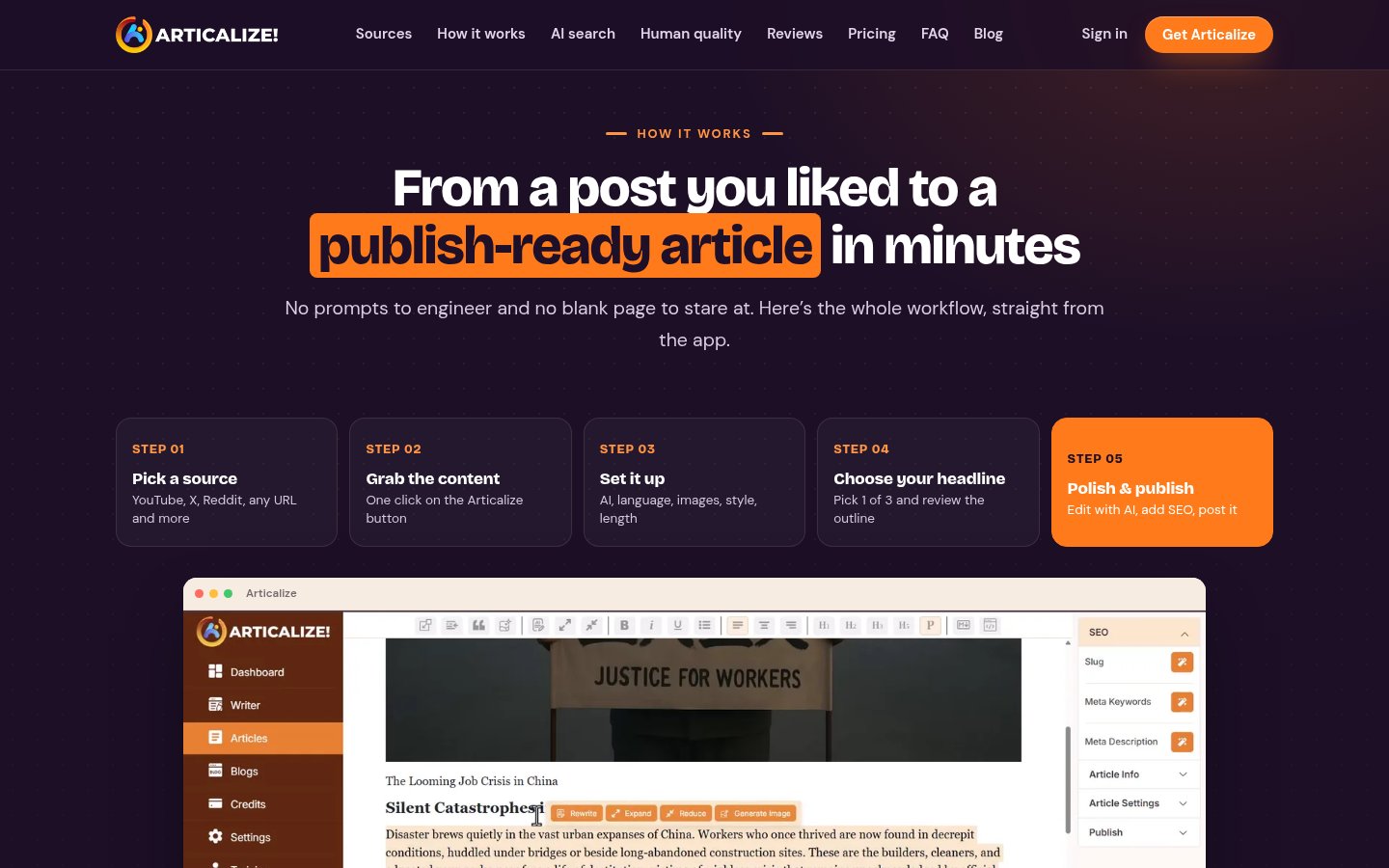
Articalize's five-step workflow
This is the step I never rush. Articalize studies the transcript, structures it and writes a table of contents. It gives me three headlines to pick from, and I can tweak the outline before I click Next.
I pick the headline closest to the search phrase from step 1, or I edit it so it matches. Then I go through the outline like an editor. I cut the section about the coffee machine that broke during recording. I make sure the main question gets its own heading near the top. If the guest gave a five-step process, I want those five steps as their own sections, not folded into one long paragraph.
A good outline does more for ranking than anything I add later.
Step 6. Put my own voice and proof back in

The article arrives with headings, sub-headings and images. Now I make it mine, using the AI editor where it helps.
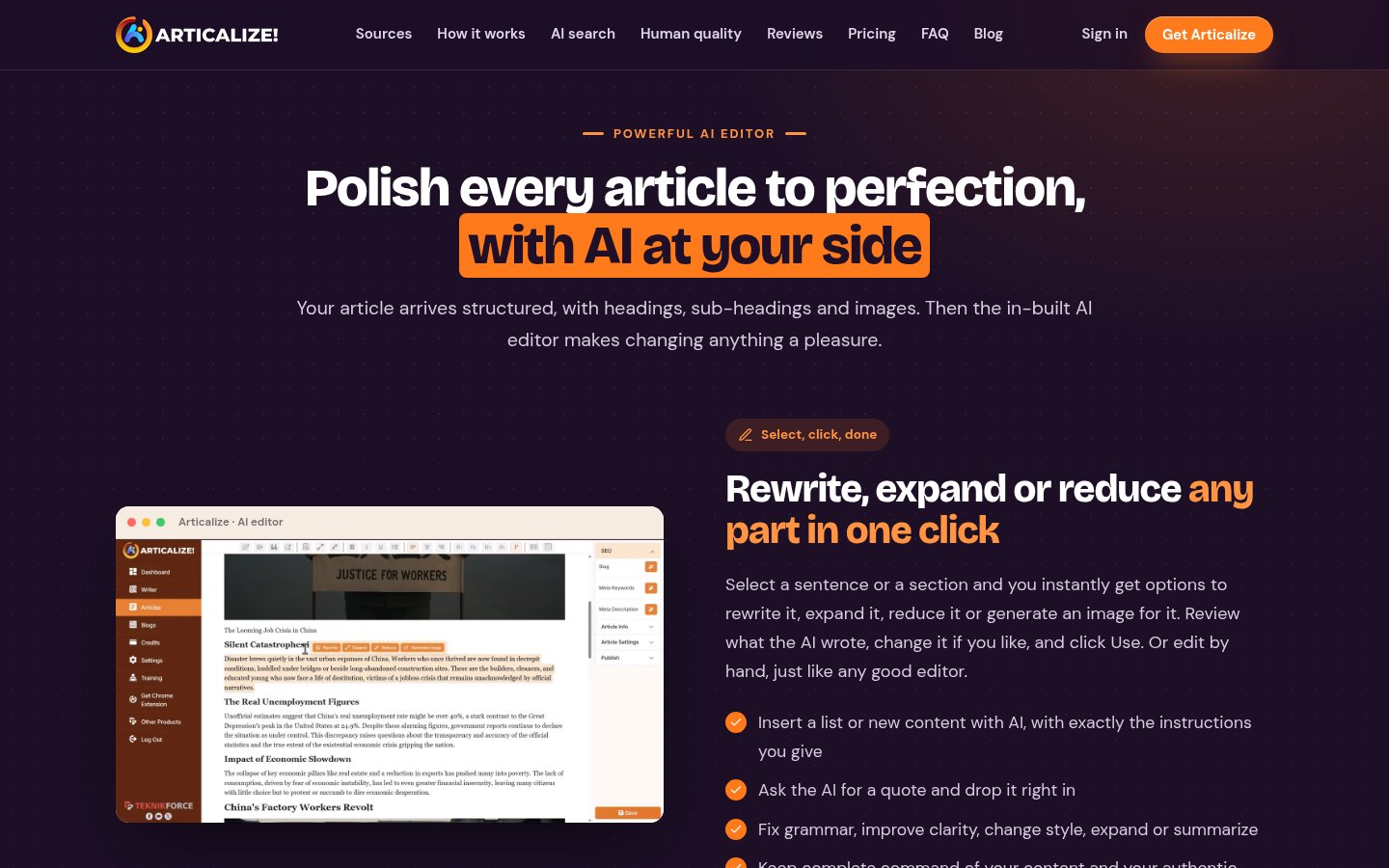
The Articalize AI editor
In the editor I can select any sentence or section and rewrite it, expand it, reduce it or generate an image for it. I can also edit by hand, like any normal editor. Here's what I usually add.
- Direct quotes from the guest. One or two lines in their own words, with their name. Readers trust a real quote more than a paraphrase.
- Specific numbers and examples from the episode. If the guest said their list grew after a particular change, that detail stays exactly as they said it, and I check it against the recording.
- My own take. A short paragraph where I say whether I agree, and what I'd do differently.
- The episode itself. I embed the player near the top and again near the end, with a line telling readers which part of the conversation each section comes from.
Articalize also keeps a list of restricted phrases out of its articles, the common AI phrases detectors tend to flag, and I can add my own. I keep my pet hates on that list. If you want more on that side of things, I wrote about AI humanizer tools that make AI content sound human.
Step 7. Add the SEO fields and publish
Articalize generates the slug, meta keywords and meta description with AI. I read them and usually shorten the slug to the core phrase.
Then I publish. Articalize can post straight to WordPress or Tumblr once the blog is connected, and the Elite plans allow up to 5 blogs. If my site runs on something else, I copy and paste into the CMS or download the article as HTML or Markdown.
Before I hit publish, I add two links. One goes to the episode page, and one goes to a related article on my site, so the new post doesn't sit alone.
Step 8. Check it after it goes live
A week or two later I look at Search Console for the new URL. I want to see which queries it's showing up for. If it's appearing for a question I only covered in a sentence, I give that question its own section.
I also make the answer easy for AI search to quote. A short, direct answer under each heading helps. I go into that in more detail in how to get your content cited by ChatGPT and Google AI Overviews.
What I don't do
I don't run my whole back catalogue through in one evening and publish 80 articles the next morning. That's exactly the pattern Google's spam policies call scaled content abuse, and it would also mean 80 articles nobody edited.
I don't publish an article from a guest's episode without making sure the guest is happy with it. It's another page with their name and links on it, so it tends to be an easy yes.
And I don't let the article replace the episode. The best podcast to blog post pieces send readers back to listen. The article wins the search, and the episode does the rest.
How this fits with my other repurposing
A podcast episode is usually the biggest piece of content I make in a week, so it feeds everything else. If you mostly work from video rather than podcasts, my comparison of YouTube to article converters covers that side in more depth. For the wider picture of getting several pieces out of one, see my list of content repurposing strategies every marketer should use and my roundup of content repurposing tools that turn your content into blog posts.
This post is narrower than those. It's one episode in, one ranking article out, every time I publish something worth reading.
A few common questions
Can Articalize turn a podcast MP3 straight into a blog post?
Its sales page doesn't list audio files as a source. It works from YouTube transcripts and webpages, among other text sources. So I either publish the episode on YouTube with captions, or put the transcript on a webpage and use that URL.
Is it fine to turn my own podcast episodes into articles?
Yes. It's your content, and turning it into an article is ordinary repurposing. If a guest appears, I'd still let them know and quote them accurately.
Will Google penalize a blog post made from a podcast transcript?
Google's guidance says it rewards helpful, people-first content however it's made, and it penalizes mass-produced pages that add no value. An edited article built on an original conversation, with real quotes and your own take, sits firmly on the right side of that line.
Should I still publish the full transcript?
I do, on the episode page, for accessibility and for listeners who want every word. The article is a separate, structured piece aimed at one search question.
How long should a podcast blog post be?
As long as it takes to answer the question properly. For a focused interview that's often 1,500 to 2,500 words. Articalize lets me set a target word count before it writes, and I trim from there.
What does Articalize cost?
$6.99 a month or $67 a year. Both plans include 20,000 welcome credits, up to 120 articles a month, 3 writer AIs, 2 image AIs and up to 5 connected blogs, with a 30-day money-back guarantee.
Give your next episode a page people can find
Your best episodes already contain the answers people are searching for. They just can't find them inside the audio. Pick one episode this week, grab the transcript and turn it into an article that answers one question well.
Get Articalize for $6.99 a month or $67 a year and turn your next podcast episode into a blog post that can rank.